
Why RESUL Events Matters

RESUL Events Capabilities
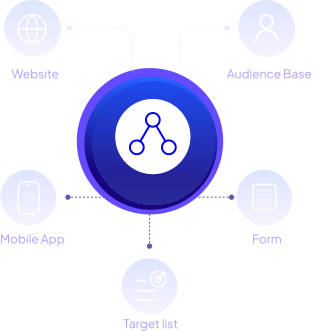
Five Trigger Sources, One Rule Builder
Website behavior, mobile app activity, subscription forms, audience base attributes, and target list segments all feed into the same visual rule builder. No separate tools for each source.
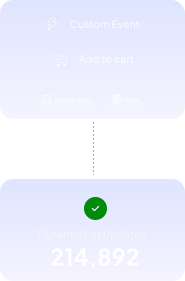
Custom Events for Mobile and Web
Not finding the events that matter to your business in the default options? Define custom events and let RESUL track audience behavior to update Dynamic List membership in real time across mobile app and web sources.
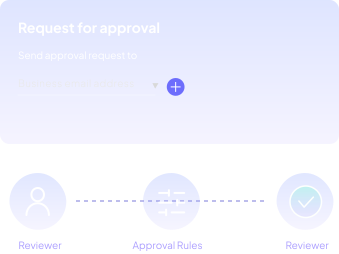
Built-In Approval Workflow
Every Dynamic List requires approval before use, so RESUL makes the entire workflow as easy as possible—from reviewer selection to approval settings to hierarchy sequencing to status tracking.
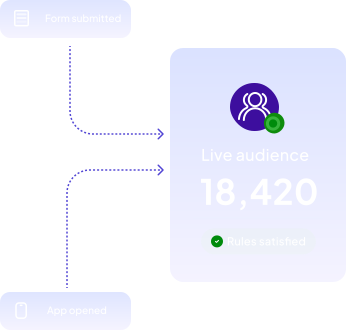
Real-Time Dynamic List Generation
Unlike static target lists, Dynamic Lists do not define their audience in advance. RESUL generates the audiences automatically as the rules are satisfied, so communications fire the moment the conditions are met.
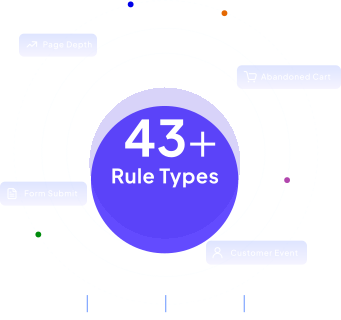
43+ Rule Types across Mobile, Web, and Forms
RESUL Events gives teams 40+ rule types across mobile app, web, forms, and other trigger sources to capture meaningful behavior and trigger the right response in real time.
Flexible Matching and Mandatory Rules
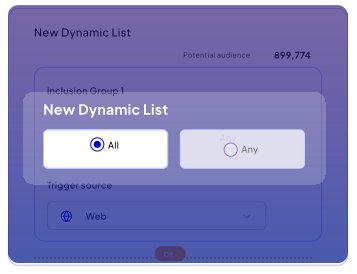
Choose All to require every rule or Any to set a minimum threshold. Mark specific rules as mandatory when using Any logic, so critical conditions are always enforced.
Filtering and Scoping Logic
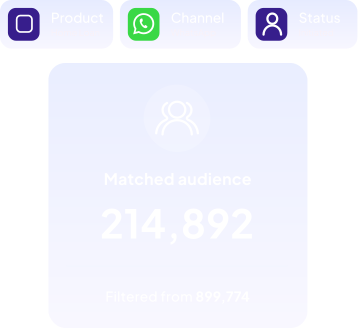
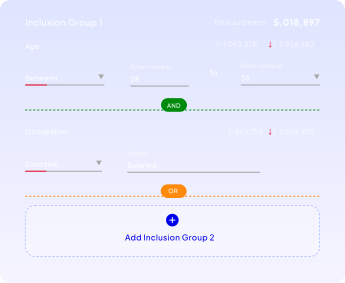
Layer trigger sources, rule types, filter conditions, operators, and values into precise audience definitions. For complex segmentation, use inclusion groups to combine conditions like product category, purchase recency, and audience attributes.
Code-Free, Visual Rule Builder
Select trigger sources, define rules from dropdown menus, set filter conditions and values, and combine rule groups using All or Any matching logic.

Frequently Asked Questions
A Dynamic List is a rule-driven audience that is generated automatically in real time based on relevant triggers and conditions. While static target lists define their audiences in advance, RESUL creates the Dynamic List audiences in real time as their rules are satisfied.
Five trigger sources: website behavior, mobile app activities, subscription forms, audience attributes, and target list segments. Each source has its own set of supported rules, from browser and device detection to cart abandonment and custom events.
Yes, the rule builder does not demand coding knowledge for usage. It allows non-technical users to define rules, set conditions, and map triggers to RESUL communications.
Every Dynamic List must be approved before it can be used in a communication. Select up to three reviewers, choose whether All or Any should approve, optionally enable hierarchy sequencing, and track the status as it moves from pending to approved or rejected.
Up to eight rules per rule group, with up to two inclusion groups per list. The rule can be combined using All or Any matching logic, and specific rules can be marked as mandatory when using Any matching.
Yes, with some limitations. The list name and trigger source cannot be changed after creation. A list cannot be edited once it is used in an ongoing communication or has been scheduled for execution. If edited after approval, re-approval is required.
Website events include page visits, session duration, page depth, traffic source, sign-ups, and custom events. Mobile events include app installs, cart abandonment, screen views, location, and custom events. Form events include submission status, attributes, and page URLs.
Real-Time Events. Real-Time Audiences.
See how RESUL Events turns live behavior into instant, rule-driven communications.